


Encircle Technologies is an IT company specialising in the Web and Mobile app development services for all types of businesses; small or large, for all business verticals, across the world. We’re proud to say that our team has worked with some truly incredible partners over a short period of time.

- /
- Blog
- /
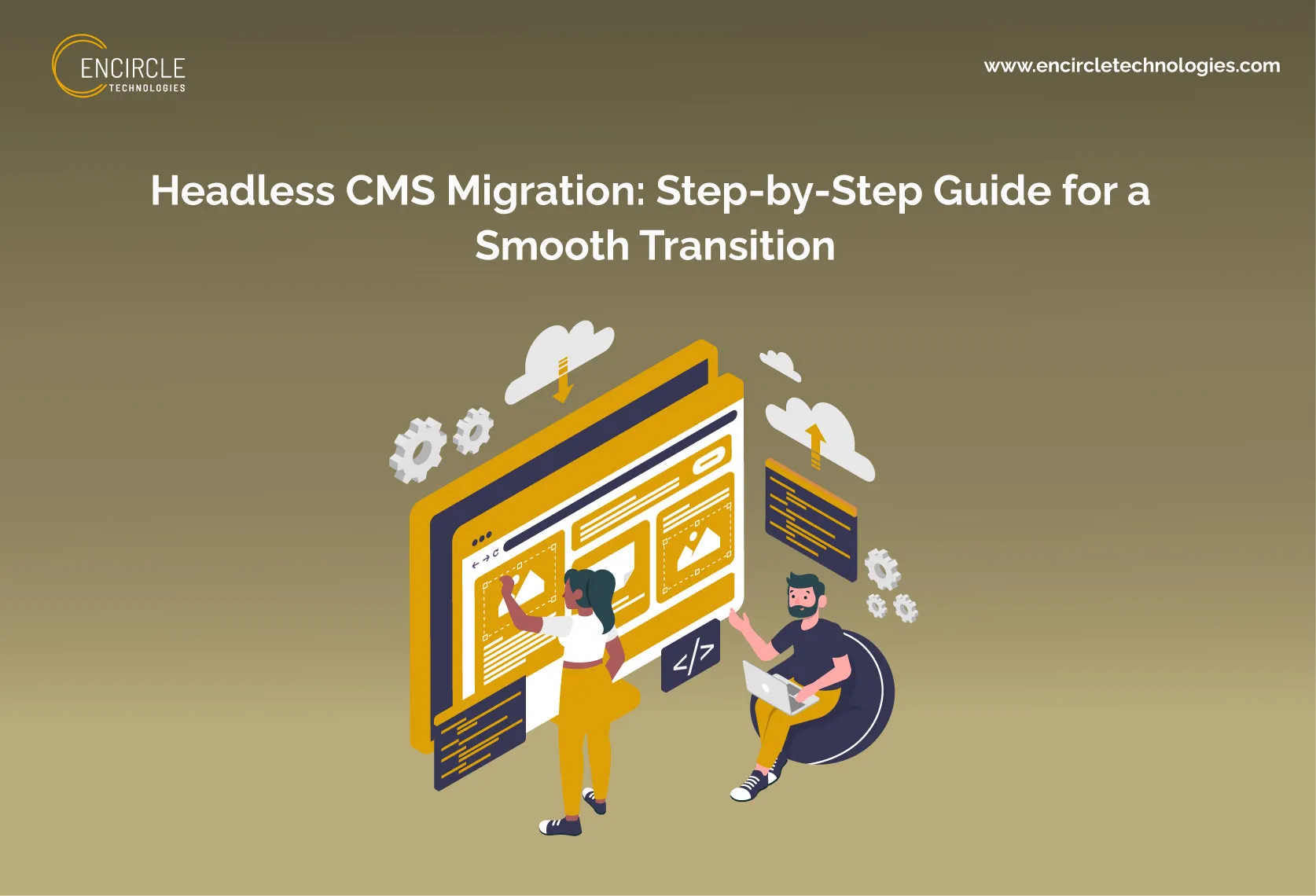
- Headless CMS Migration: Step-by-Step Guide for a Smooth Transition

Summarize this blog post with:
Traditional CMS platforms are struggling to match modern digital demands. Organizations are moving beyond traditional CMS platforms to achieve better flexibility, faster digital delivery, and a consistent experience across sites, mobile apps, and other channels. A headless CMS migration system separates content management from presentation, allowing teams flexibility to develop quick and more customized digital experiences using frontend frameworks. Now businesses are partnering with a headless CMS development company to navigate the changes smoothly.
However, migration won’t be successful if you rush. According to the State of Headless 2024 report, 73% of surveyed businesses were already using headless website architecture, while 98% of those not using it were evaluating or planning to evaluate headless solutions. Careful planning is required to safeguard your content, SEO rankings, and business continuity throughout the migration. Read this headless CMS migration guide to understand the step-by-step process for a smooth CMS migration.
Why Are Businesses Moving to a Headless CMS?
✦ Key Benefits of Headless CMS:
➥ Faster website performance
Headless CMS separates content from presentation, reduces cost, allows quick loading times, and improves site speed.
➥ Greater frontend flexibility
Headless CMS allows developers to build with any framework such as Vue, Next.js, and React without being hampered by built-in templates.
➥ Omnichannel content delivery
In a headless CMS, content is delivered via APIs, enabling seamless publishing across sites, mobile apps, wearables, and other touchpoints.
➥ Easier scalability
Headless architecture scales independently on the front and back end, allowing huge traffic and content volume without major reworks.
➥ Improved developer experience
Developers can achieve full creative control over the tech stack, working with modern tools rather than traditional CMS-specific limitations.
➥ Better integration capabilities
API-first design makes it easy to connect CRMs, eCommerce platforms, analytics tools, and marketing systems into a unified system.

When Should You Consider Migrating to a Headless CMS?
✤ Your current CMS limits scalability
If traffic rises or content volumes grow, it causes slowdowns or requires constant infrastructure changes. By working with headless development services, you can get help from them.
✤ Website performance is becoming a concern
Poor Core Web Vitals scores, slow loading speed, and frustrated users give a signal that your traditional CMS needs to be migrated to a headless CMS.
✤ You manage content across multiple channels.
If you are publishing to multiple apps, sites, and other digital touchpoints, a headless CMS can distribute consistent content everywhere.
✤ Developers need more frontend flexibility.
If your team feels struggling with the built-in templates or outdated technologies, headless architecture gives freedom to build with modern frameworks.
✤ Existing integrations are difficult to maintain
If integrating your CMS with CRMs, analytics, or eCommerce tools needs constant workarounds, an API-first system streamlines integration.
Headless CMS Migration: Step-by-Step Process

Here take a look to the step-by the step headless CMS migration checklist-
⮞ Step 1: Audit Your Existing CMS
Analyze your current situation before doing headless CMS migration. To understand the volume and complexity, go over all of the existing content, including pages, articles, and media assets. Since these will need to be reorganized in your new system, list every template and content type that is being used. Lastly, identify all of the CRMs, analytics tools, and plugins that are currently integrated.
⮞ Step 2: Define Your Migration Goals
Clear goals are the first step toward the successful headless CMS migration services. Establish specific performance objectives, such as quick load times or better editor workflows, so you can track your progress later. Determine the company needs, lower license costs, or increased developer flexibility. In order to avoid replacing the new CMS too soon, you should also specify your scalability requirements up front, including content growth and market expansion. Follow these headless CMS migration best practices to avoid costly modifications.
⮞ Step 3: Choose the Right Headless CMS
Long-term success depends on choosing the appropriate platform. Check each tool’s API capabilities to make sure they meet your needs for cross-channel content delivery. Evaluate the alternatives for integrating your current tech stack, including eCommerce and marketing platforms. To help with platform configuration and selection, many teams decide to collaborate with headless CMS development services. Make sure the CMS can safely grow with you by comparing security and scalability features.
⮞ Step 4: Create a Content Migration Strategy
Once a platform has been selected, consider the actual migration of content. Instead of bringing clutter into the new system, use this step to remove out-of-date, redundant, or unnecessary content. Next, provide the fields and connections of your new content models so that the material is properly organized and can be reused across future channels.
Also Read: A Complete List of Headless CMS Implementation Services for 2026
⮞ Step 5: Plan Your New Technology Architecture
Create the architecture that will support your digital experiences and headless CMS. A frontend framework should be chosen with performance, development needs, rendering strategy, and scalability in mind. Describe the APIs required to link the CMS to external business systems and front-end apps. Make plans for content distribution, hosting, infrastructure, environments, deployment procedures, and caching. Think about how future channels and traffic growth will be handled by the architecture. To reduce integration issues later on in the move, keep a record of these choices.
⮞ Step 6: Prepare Your SEO Migration Plan
The largest risk in any CMS migration is frequent SEO. Whenever necessary, maintain your current URL structure to safeguard backlinks and rankings. Carefully plan out 301 redirects where URLs need to be updated to prevent broken links and lost authority. Accurately migrate all structured data schema and metadata to the new system.
⮞ Step 7: Migrate Content to the Headless CMS
In this step, planning turns into implementation. Migrate all of your current content in an organized, usable manner from your CMS. Make any necessary formatting, field, and media reference changes to the material to make it adhere to your new content models. Import everything into the new headless CMS and thoroughly verify the data, looking for any missing fields, broken media connections, or formatting mistakes.
⮞ Step 8: Rebuild the Frontend Experience
Utilizing the architecture specified for the new frontend. Develop reusable elements that enable consistent experiences across sites and channels and can receive structured material from the headless CMS. Configure content fetching, rendering, caching, and error handling by connecting the frontend to the necessary APIs. Improve mobile, tablet, and desktop responsive experiences. Keep an eye on interaction patterns, navigation, site performance, and accessibility. The imported material is transformed into a useful, user-facing digital experience during this phase.
⮞ Step 9: Integrate Business Systems
Integrate the business systems required for day-to-day operations with the new headless CMS framework. While eCommerce platforms can offer product, pricing, and transaction features, CRM solutions can support customer data and workflows. Integrate analytics tools to gauge website performance and user behavior. Campaigns and customer journeys can be supported by marketing automation platforms, and content discovery may be improved by search solutions. To guarantee reliable interaction between linked systems, provide API authentication, data flows, error management, and ownership for every integration.
⮞ Step 10: Test the New Headless CMS
Before the new website or application launches, thoroughly test it. Workflows for content management, frontend functionality, forms, navigation, and integrations should all be verified through functional testing. To verify endpoints, answers, authentication, and error handling, conduct API testing. Scalability, traffic handling, site speed, and API response times should all be evaluated during performance testing. Access controls, authentication, vulnerabilities, and data protection should all be examined during security testing. To guarantee consistent experiences across supported environments and screen sizes, perform cross-device and cross-browser testing.
⮞ Step 11: Validate SEO Before Launch
Before moving to the new system, finish a thorough SEO validation. Verify that modified URLs reach the intended locations without unnecessary redirect chains by checking each significant redirect. Check title tags, meta descriptions, canonical tags, and other crucial metadata on important pages. To make sure structured data is still relevant and valid, test it. Verify that robots.txt does not accidentally block crucial resources or pages and check the XML sitemap for correct URLs. Before going live, find technical SEO problems.
⮞ Step 12: Launch and Monitor Performance
After launching the migrated website, keep track of unexpected server responses, broken links, unsuccessful API requests, and website issues. After the migration, look for any notable changes in search traffic and organic rankings. To find problems with the user experience, analyze Core Web Vitals and other performance indicators. Check for any unusual problems or exclusions in crawl and indexing reports. After launch, keep checking analytics, server logs, and SEO data to find and fix any new migration problems as soon as they arise.
Also Read: Headless CMS for Enterprise: Benefits, Features, and Use Cases
Headless CMS Migration Challenges to Consider
➥ Content structure incompatibility
Existing content models may not map accurately onto the new CMS, significant restructuring, manual content adjustments, and custom field mapping.
➥ SEO ranking losses
A migration that is not efficient can disrupt indexed pages, cause search engines to lose trust, and cause rankings to drop unexpectedly after launch.
➥ Broken URLs and redirects
Without careful redirect mapping, a changed URL structure can cause 404 errors, decrease traffic, and frustrate visitors post-migration.
➥ Integration failures
Current integrations to CRMs, analytics, or marketing tools may break if APIs aren’t reconfigured accurately during migration.
➥ Missing metadata
Missing titles, descriptions, and structured data during content migration can hamper SEO and search result presentations.
➥ Increased development complexity
Developing a custom front end and managing APIs require more technical expertise than partnering with a traditional all-in-one CMS.
➥ Content publishing disruptions
The editorial team might face temporary workflow interruptions while managing the transition to new content models, interfaces, and publishing processes during transition.

Ready to Make Your Headless CMS Migration Successful?
A successful headless CMS migration is possible with strategic planning and execution done by headless CMS development agency. Start by developing a clear migration roadmap that outlines every phase from content audit to post-launch monitoring. Throughout the process, prioritize safeguarding your content, SEO ranking, and current integrations so no complications can come after launch.
Select a scalable architecture designed to support your organization’s future growth, not just content. When you partner with a headless CMS development company, they make the migration smooth while navigating the technical challenges. With the ideal strategy and expert support, businesses can make migration faster and achieve flexible digital experiences.
Tags:
Build a Powerful Web Presence Platform That Drives Sales


Our Recent Articles
Headless CMS
October 5, 2026
10 Headless CMS Migration Mistakes That Put Budget, Timelines, and ROI at Risk
Headless CMS migration includes moving a traditional CMS to a headless architecture that separates the content backend from the presentation layer. Most businesses are making this shift to improve flexibility, develop a better digital experience, and deliver content across various channels. With the best headless CMS development services, organizations can develop scalable sites, streamline content […]
 Encircle Technologies
Read More
10 min read
Headless CMS
August 5, 2026
What to Look for in a White Label Development Partner
Multiple marketing agencies prefer White Label as the popular outsourcing form, since it helps them match their client demands. The upgrades in digital marketing have made white label development agencies popular. White label marketing is the ultimate way of assisting the best website development company in India to offer quality services to their clients. It […]
Read More
15 min read
Headless CMS
July 27, 2026
Headless CMS Cost in 2026: A Complete Pricing Guide
For any organization, choosing the right CMS is a crucial decision. Headless CMS development services enable businesses to create quicker websites, enhance user experience, and distribute content throughout various platforms. When beginning, many businesses ask: What does headless CMS cost? and how much does a headless CMS cost? The overall headless CMS expenses rely on […]
Read More
14 min read